
Customizing Prefabs
The SDK ships with ready-to-use prefabs.
Remember, Prefabs must be copied to Assets folder before using:Ciao Games > Reward Center > Copy Prefabs to Assets
After prefabs are copied into you Assets folder, you can drag n' drop the 2 main prefabs in your Scene.
Prefabs Overview
-
A single prefab containing all popup UI.RewardCenterOverlay
Contains:- Overlay: a dim overlay image
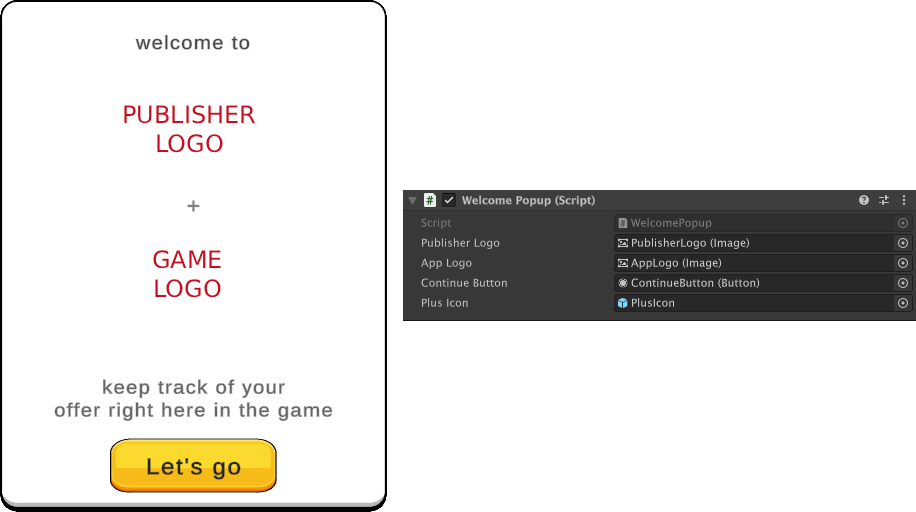
- WelcomePopup: shown on first launch when a valid campaign is present. Displays game logo, publisher logo, CTA button.
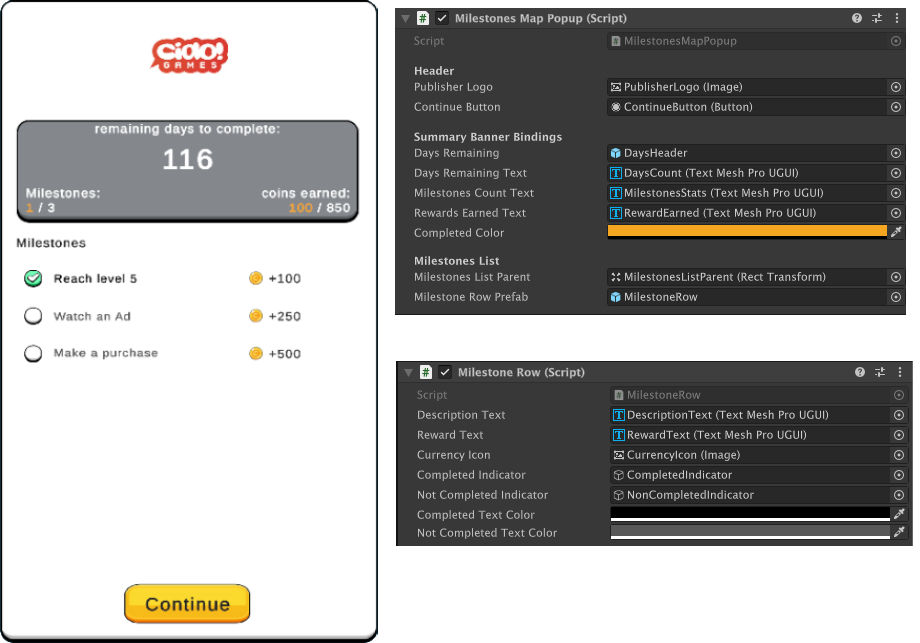
- MilestonesMap: shown when the player taps the tracker card. Lists all milestones and their progress.
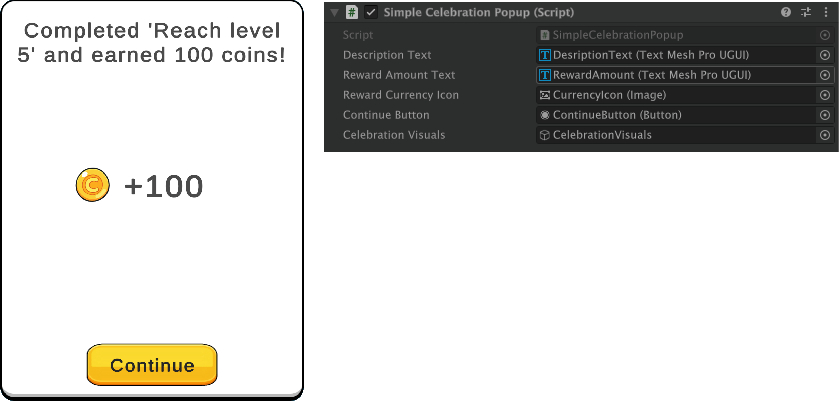
- SimpleCelebrationPopup: default celebration when a milestone is completed.
- ChestCelebrationPopup: alternative celebration, enabled per studio via config.
-
A button prefab. Place it in your HUD alongside your other buttons. Tapping it opens the Milestones Map.RewardCenterTrackerCard
Customization
You can freely edit colors, fonts, sizes, and layout. The prefab hierarchy is intentionally simple.
Publisher Logo and Currency Icon are retrieved by the offerwall campaing (deeplink)
Runtime Assets
From the deep link the SDK retrieves:
- Publisher logo URL
- Currency icon URL
These are downloaded on first use and displayed in the popups.
If no currency icon is available, the SDK falls back to displaying currencyName as text.
RewardCenterTrackerCard
In onboarding state, tracker card shows up along with a tooltip indicating the usage.
Tracker card shows:
Currency Icon, total earnings and a progress bar.
OnClick: Opens the MilestonesMap

RewardCenterOverlay
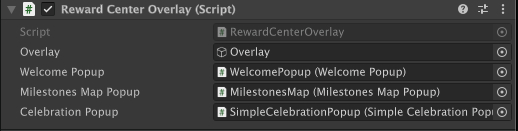
Works as orchestrator. It references WelcomePopup, MilestonesMapPopup and CelebrationPopup.
Here, you can change the default SimpleCelebrationPopup to ChestCelebrationPopup that comes with RewardCenter SDK.
WelcomePopup
Shows once after resolving the deeplink. Publisher Logo is auto-loaded.
You can add your game's log in AppLogo.
MilestonesMap
Shows when user clicks on RewardCenterTrackerCard.
Publisher Logo and currency icons are auto-loaded.
You can change CompletedColor to change the color of completed milestones and currency earned.
You can add your own MilestonesRow prefab, in which you can also set your own sprites.
SimpleCelebrationPopup
This is the default CelebrationPopup that SDK ships with. You can change it in RewardCenterOverlay.RewardCurrencyIcon is auto-loaded. Defaults to currency text if missing.CelebrationVisuals are ui confetti particle. You can use your own.
ChestCelebrationPopup
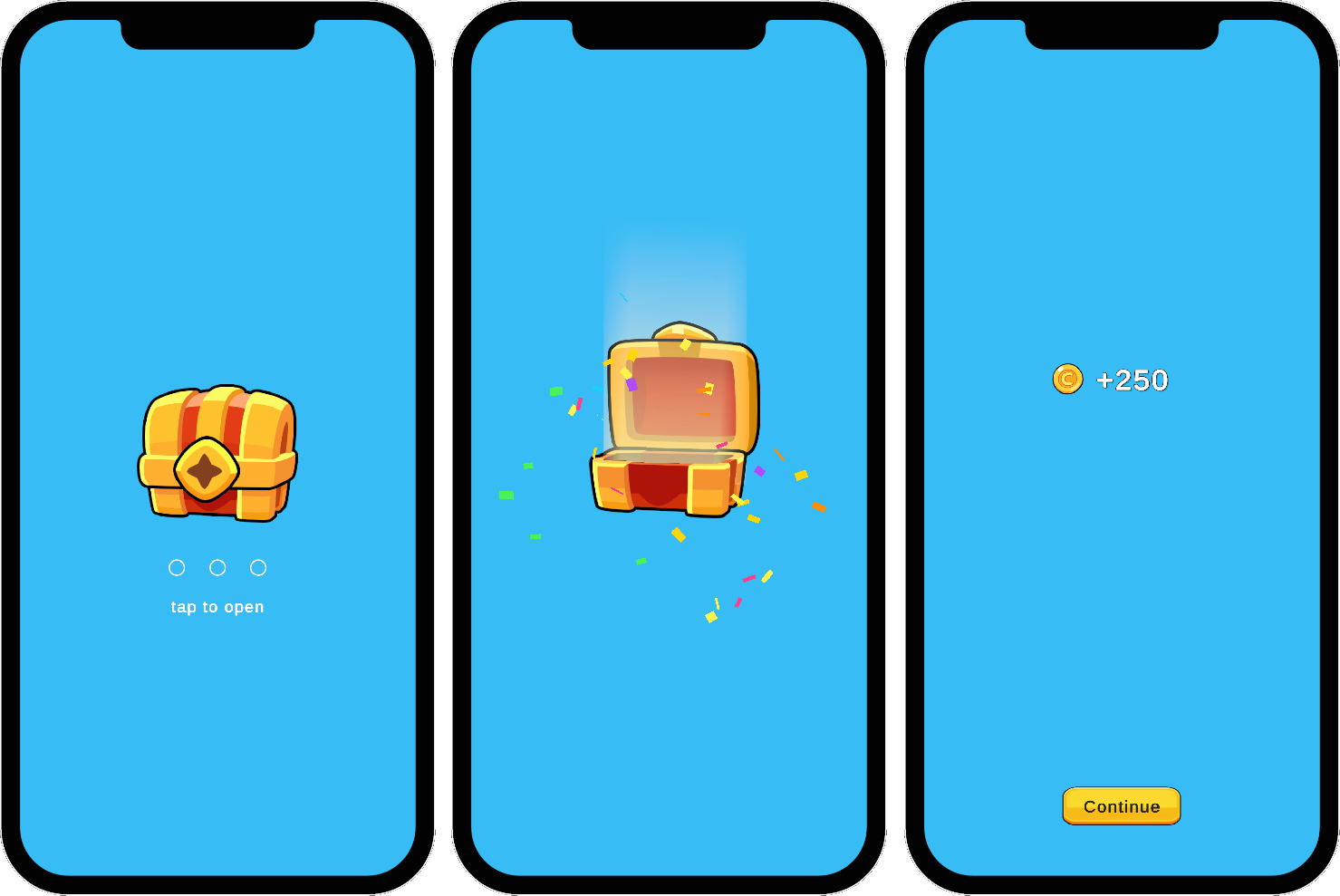
This is a more fancy CelebrationPopup that SDK ships with. You can change it in RewardCenterOverlay, instead of SimpleCelebrationPopup.
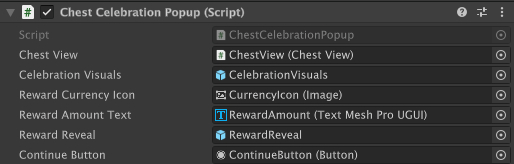
It features full-screen animated chest that requires tapping to open and reveal rewards.RewardCurrencyIcon is auto-loaded. Defaults to currency text if missing.CelebrationVisuals are ui confetti particle. You can use your own.
Updated 2 days ago