
Settings
After a successful installation, CiaoSDK creates a ScriptableObject at:
Assets/Resources/CiaoSDK/CiaoSDKSettings.assetCiaoSDK reads from this asset to get all keys, IDs, and custom configurations.
Accessing Settings
You can open the CiaoSDK Settings asset from:
Unity menu → Ciao Games → Settings -or- CiaoSDK Setup Window → Settings
What's Stored in Settings
- Keys and IDs downloaded via Download Configuration
- Log level (see Debugging & Logs)
- Anti-Cheat detector configuration (see CiaoSDKAntiCheat)
- Other module-specific configuration
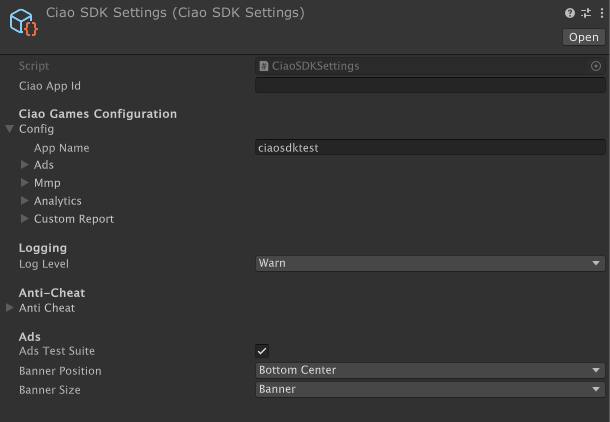
CiaoSDKSettings (ScriptableObject)
Updated about 1 month ago
Did this page help you?